How to Sign Up as an Advertiser on Involve Asia
Involve Asia helps advertisers launch affiliate programs that drive user acquisition and increase sales.
With advanced tracking technology and access to a wide publisher network across industries—from retail and travel to marketplaces—you can run multiple campaigns and scale your brand faster.
Ready to get started? Here’s how to sign up:
Step 1: Click Sign Up
Step 2: Enter Company Information
Provide details about your company so we can set up your advertiser account properly.
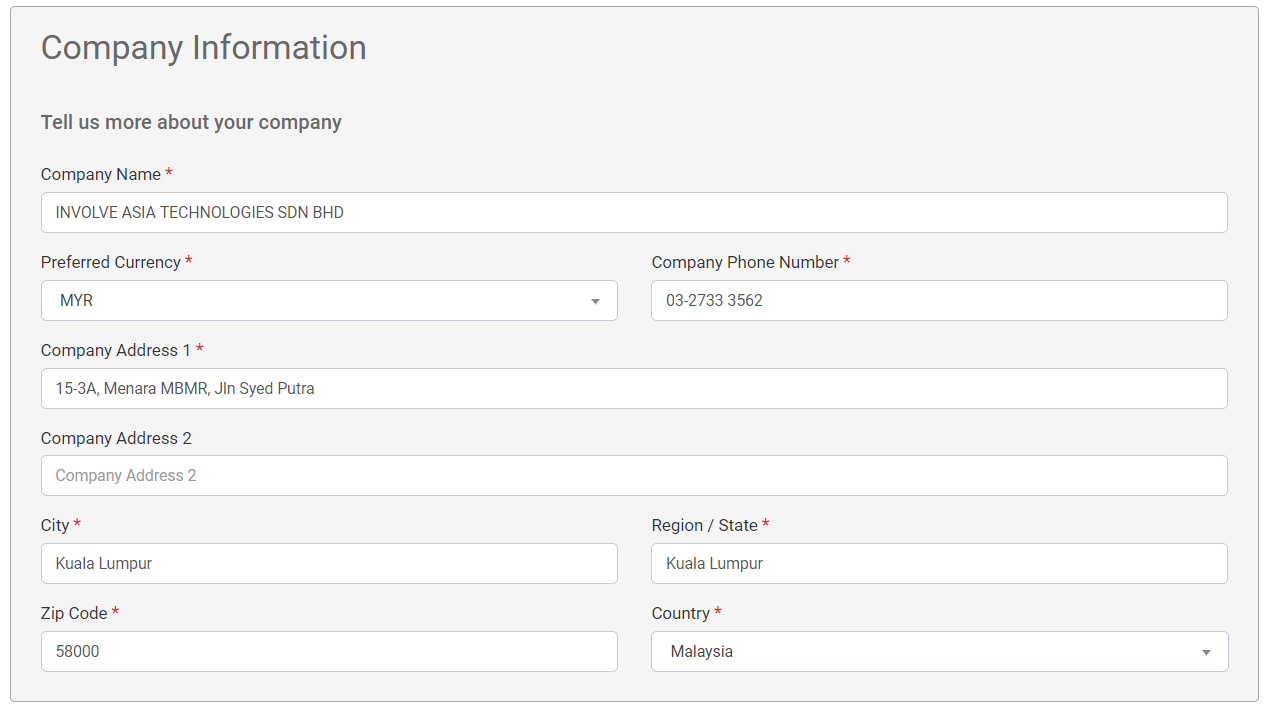
Illustration purposes only
Step 3: Fill in User Information
This information will be used for logging in to the Involve App.
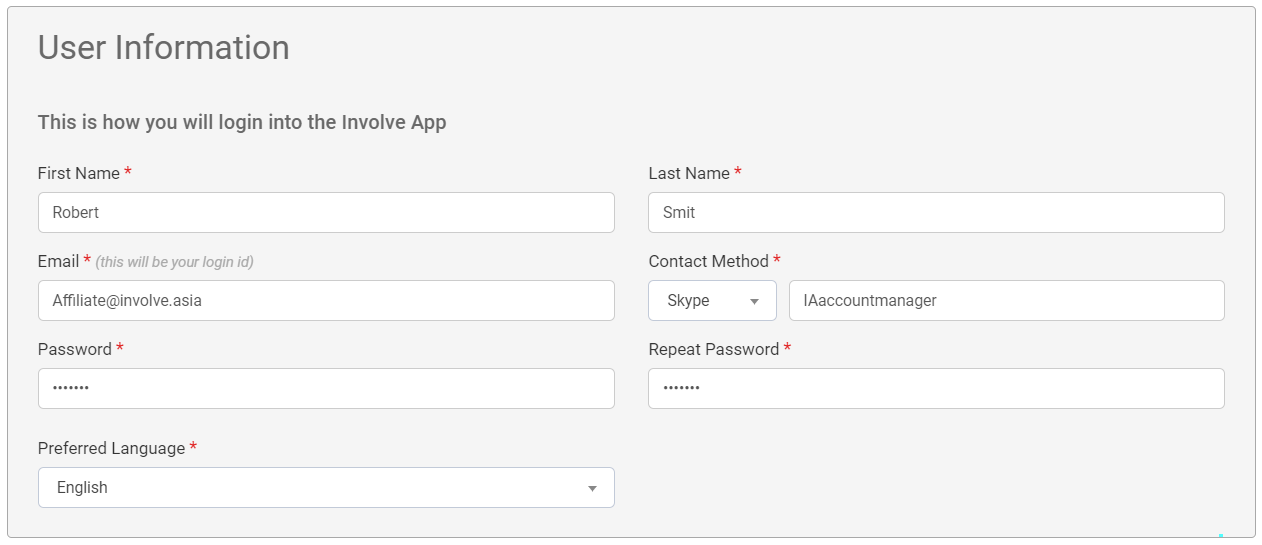
Illustration purposes only
Step 4: Add Store or Website Information
Share details about your business, store, or website to help us understand your brand and offerings.
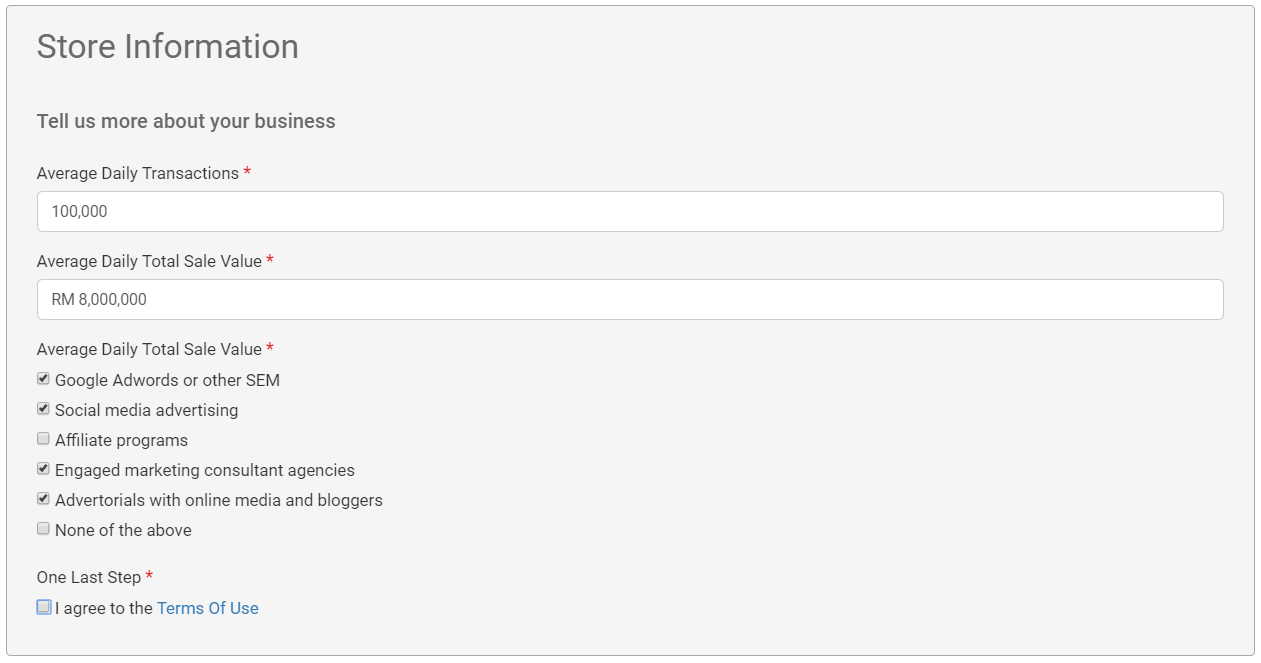
Illustration purposes only
Step 5: Accept Terms of Use
Carefully review our Terms of Use. Tick the acceptance box to proceed.
Step 6: Complete Registration
Click Complete Registration to finalize your account setup.
Confirmation & Access
Once registration is complete, you’ll receive a confirmation email to validate your account and confirm your identity. After verification, you can log in to your Involve Asia Advertiser Dashboard and start creating campaigns.
With your account ready, you can begin leveraging Involve Asia’s affiliate network to grow your sales, reach new audiences, and build strong partnerships.