How to Use the Offers Report on Involve Asia Advertiser Dashboard
The Offers Report in your Involve Asia Advertiser Dashboard provides clear insights into the performance of your individual offers. This feature makes it easier for advertisers to track results, optimize performance, and make informed campaign decisions.
Step 1: Access the Offers Report
Log in to your Advertiser Dashboard. In the top menu, go to:
Reports > Offers Report
Illustration purposes only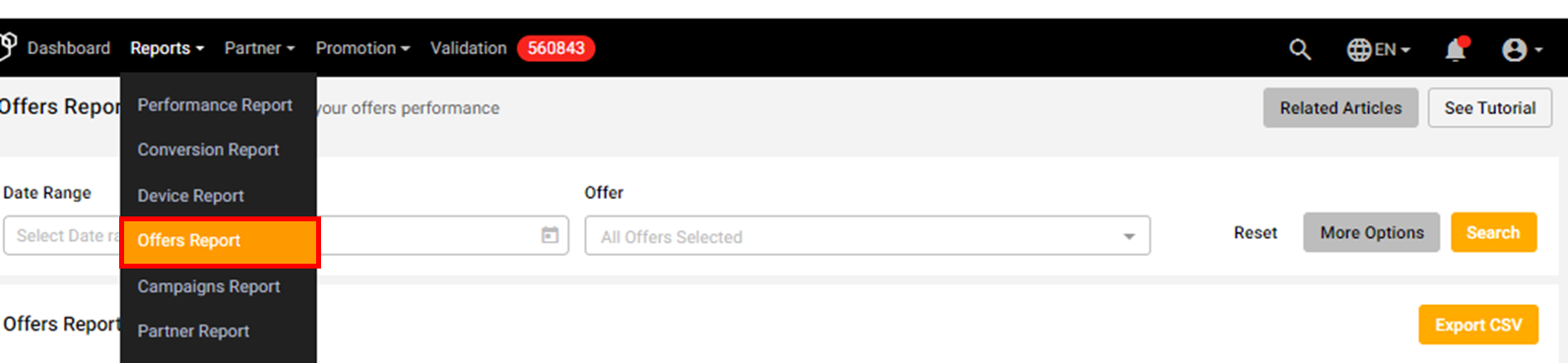
Step 2: Apply Basic Filters
You can filter your Offers Report by:
Date Range
Offer
For deeper insights, click More Options to access the Advanced Filter.
Illustration purposes only
Step 3: Customize Columns
Choose the data you’d like to see in your report, such as:
Conversion Information
Offer Information
Click Search once you’ve selected your preferences.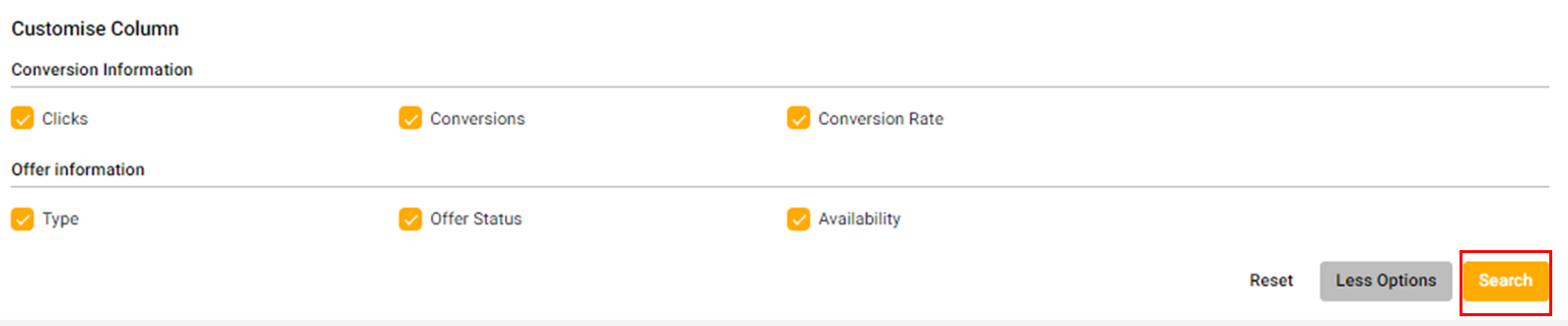
Step 4: Export Your Report
When ready, you can download your Offers Report by clicking the Export CSV button for further analysis or record-keeping.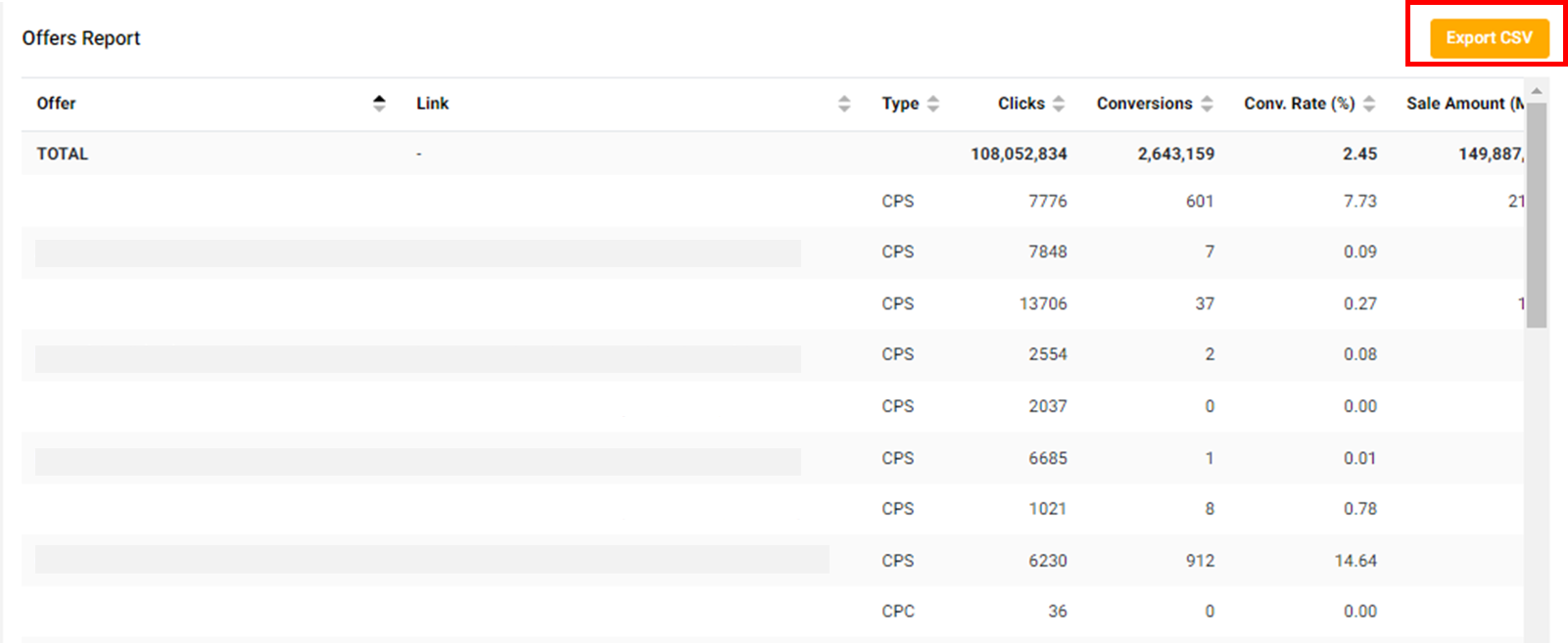
Tip: Need extra help? Click See Tutorial on your dashboard to learn more about how the Offers Report works.
